


This quick guide explains how you can remove duplicates in LibreOffice calc list. And it’s super easy.
If you used Microsoft Excel, you might have already known that it provides an option in the ribbon to remove duplicates.
However, there is no direct option to remove duplicates in LibreOffice Calc. You have to use the advanced filter and a trick to achieve this. Here’s how.
I’m going to explain two different methods to do this. The first method uses a helper column to remove duplicates. And the second method is to hide the duplicates and filter the rest.
The second method is easy and recommended.
Table of Contents
Method 1: Remove Duplicates via helper column
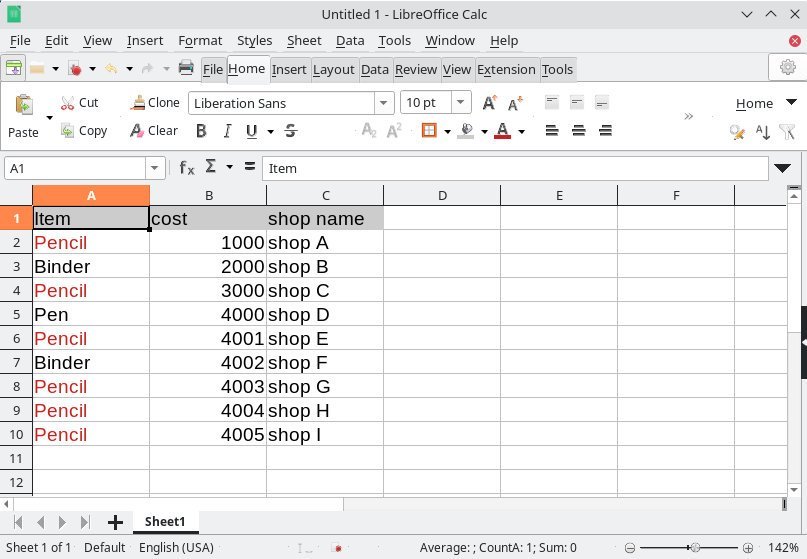
For example, you have the following set of data. I want to remove the duplicates from Column A. For better understanding, I have highlighted them in RED.

Follow the below steps.
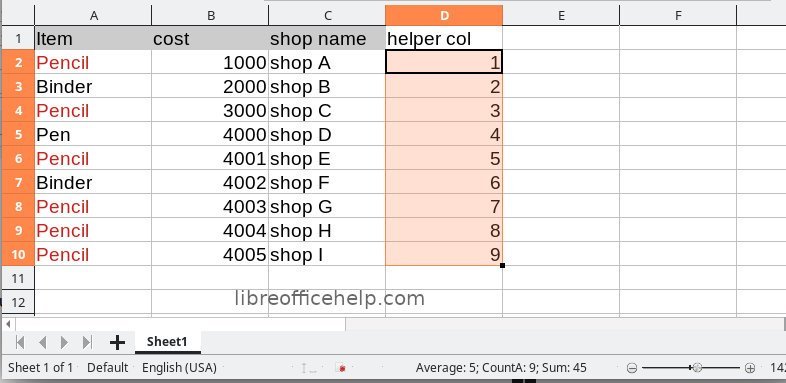
- Add a helper column – say column E. Put value 1 as the first value and drag it till the end of your data set. That means this helper column should fill up 1, 2, 3…. and so on. The column D is the helper column in this example.
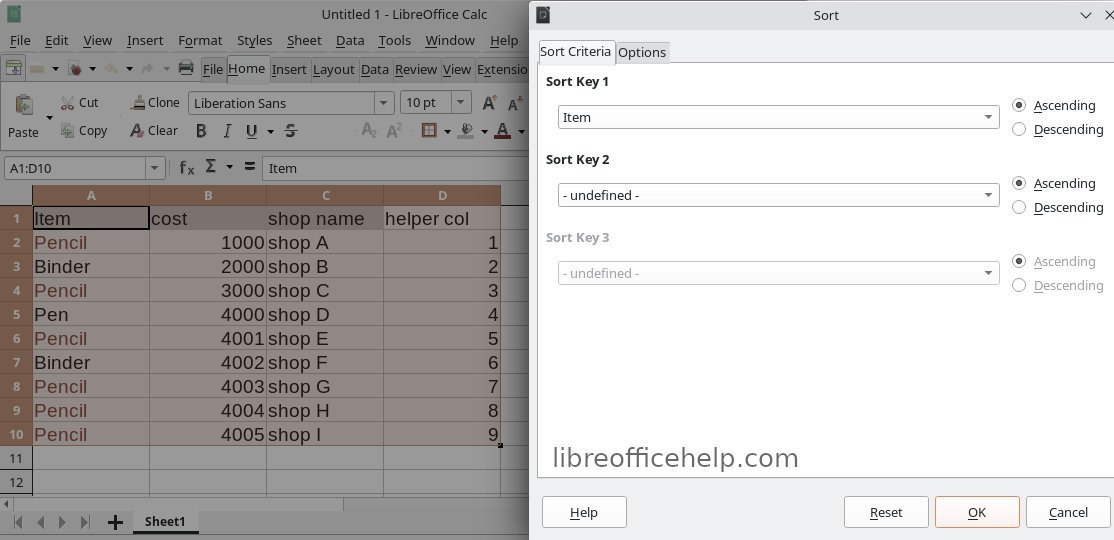
- Now, select the entire range (A1 to D10 in the above image) and Sort (Data > Sort) by the column where you want to find a duplicate. So, I have selected A1 to D10 and sorted by column A in this example.
- After sorting, you should see that column A is sorted. Now add another helper column and add the following formula by skipping the first row. For this example, I have added Column E and the formula at E3, skipping E2. You need to change the formula based on your target column.
=IF(A3=A2,1,0)

- Explanation: Since the column A is sorted, the same values should appear together! Hence, I am putting an IF function to find what are those same values. If they are same, let’s put 1 in the cell, otherwise 0.
- So, after adding the helper column, it should look like this. You may notice the 1 values are the duplicate ones.
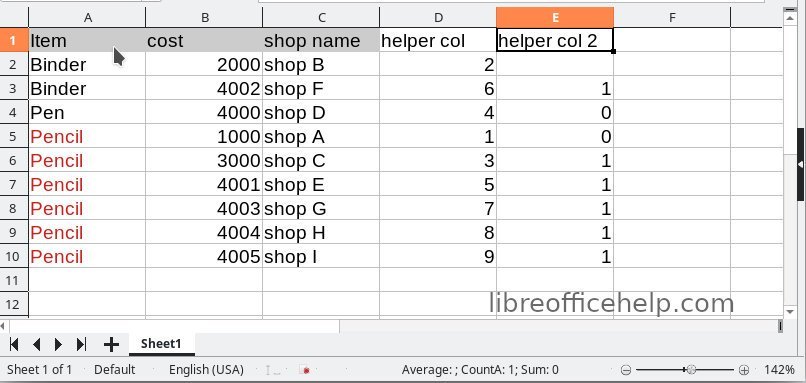
- Now filter only 1 from column E. And you have your duplicate data. Now select the rows, right click and choose delete rows. This will delete the duplicate data.

- Remove the filter from all the columns. And you have the cleaned data without duplicates.
- Now, you might be thinking, what about the helper column 1, which we have added? Well, since you sorted the data, the actual order is not present. So, to go back to your original order of data, simply sort in ascending order on the helper column 1 (i.e. column D). Since it has chronological numbers, you should get back the original order data without duplicates!

That’s it. It’s easy, isn’t it? Checkout the video for the above method.
Video – Method 1

However, there is another way, see below.
Method 2: Remove Duplicates via autofilter (Recommended)
It’s easier to understand with an example. We have this list of items with the following data. The duplicate values are colour-coded as below.
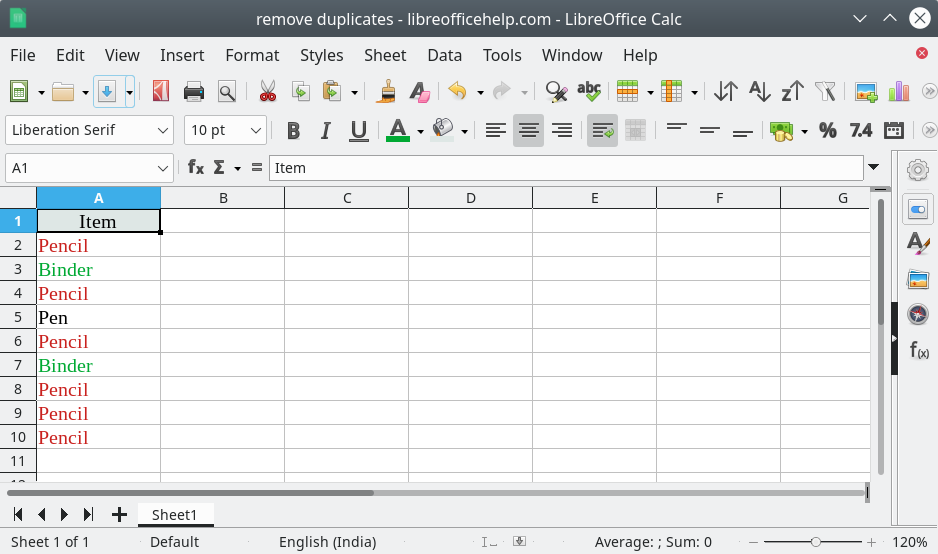
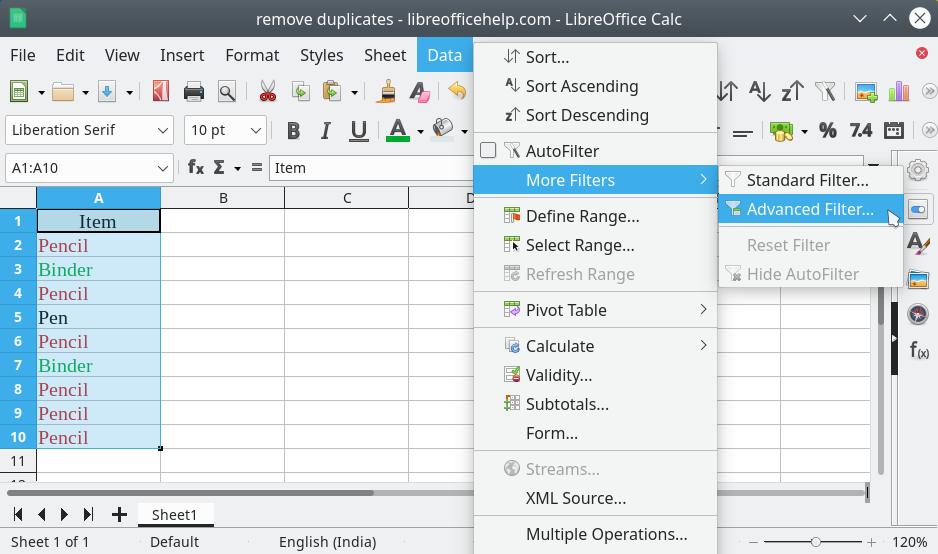
To remove duplicates, select the list. And then, from the menu, click on Data -> More Filters -> Advanced Filters.
On the Advanced Filter window, select the range for removing the duplicates. It can be a single column or multiple columns of data of any size.
Then select the option "No duplicates".

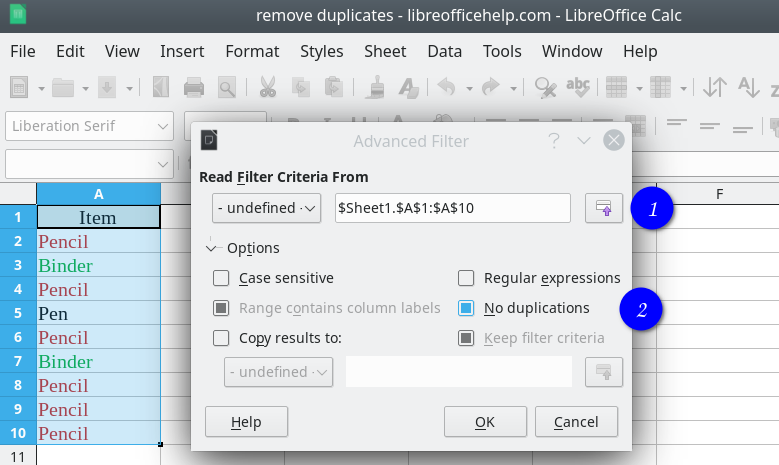
Press OK.

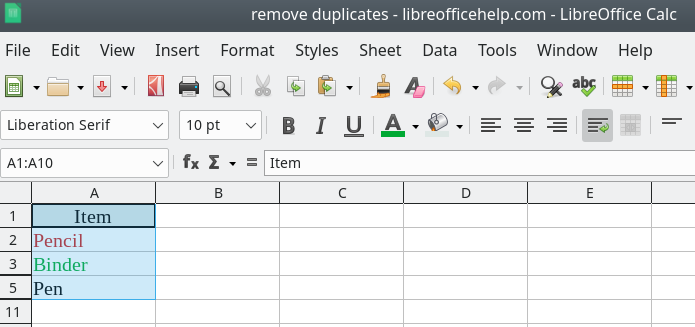
And there you have it. Your data set without duplicates. Now you can copy the unique data to some other sheet or workbook for further analysis and processing.
Video – method 2
If you still have doubts, I have put up a quick video below. And don’t forget to subscribe to us on YouTube!

Common Errors and Usage Notes
- The above method 2 shows you the unique data items by hiding duplicate rows. If you look at the above image, you can see rows 3 and 5. That means row 4 is hidden. Unfortunately, LibreOffice doesn’t have the functionality of the current version to delete everything duplicates and show you unique values in chronological order.
- So, once you have the above list, you need to copy them to a different sheet or workbook for your further processing.
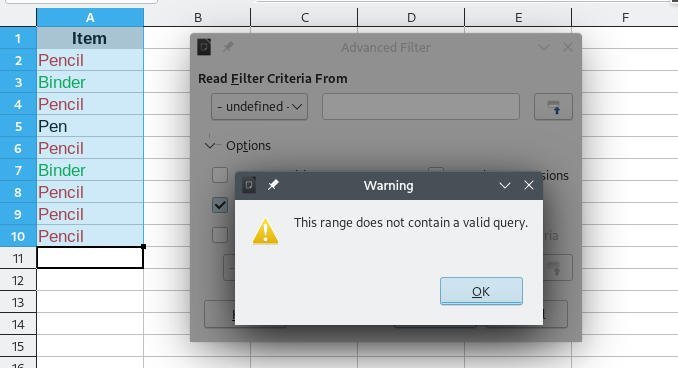
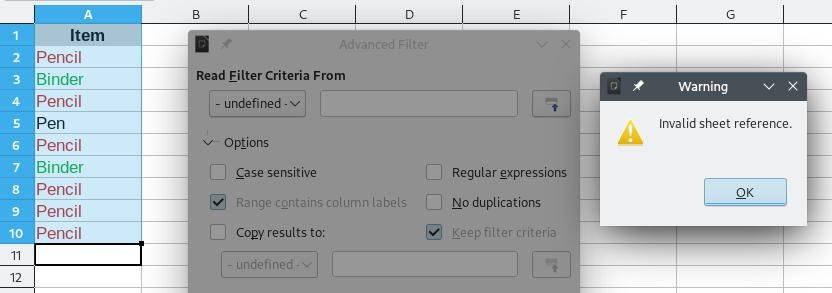
- If you are receiving any of the below two errors, then make sure to select the range and the range is visible in the text box under ‘read the filter criteria from’.


Wrapping Up
As the LibreOffice Calc doesn’t provide a simple enough quick option, you have to follow this way to remove the duplicates. Do let me know which method worked out for you.